
Article: Best Sim Racing Setup 2026: Complete Guide for Every Budget

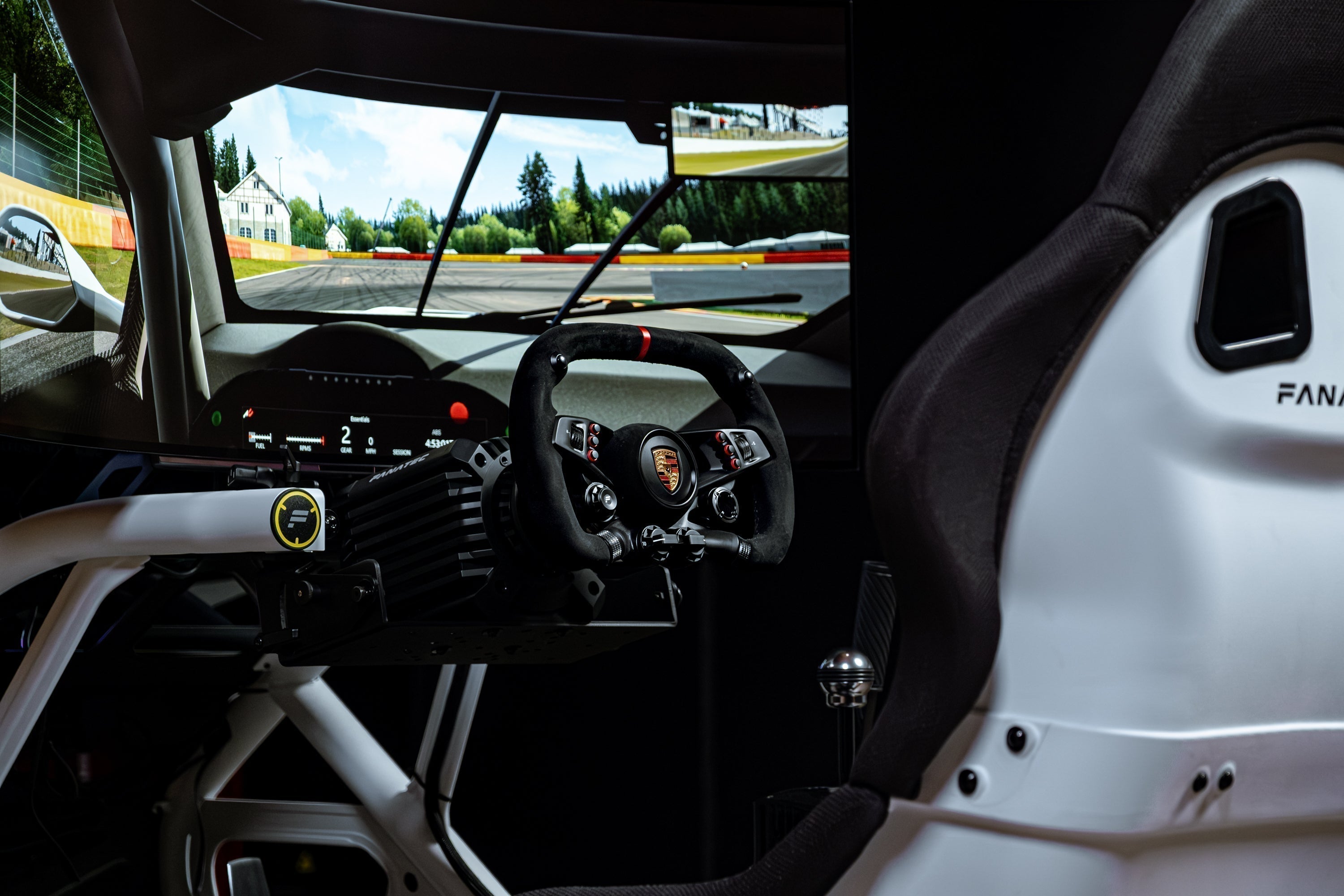
Best Sim Racing Setup 2026: Complete Guide for Every Budget
Last updated: May 2026 · Reviewed by Dylan Baker, top ranked competitive iRacer
Most buyers spend 1–3 months researching wheelbases, pedals, cockpits, and monitors across 5-10 different websites, only to discover on build day that something doesn't mount right.
A complete sim racing setup eliminates that process: direct drive wheelbase, load cell pedals, steering wheel, cockpit, racing seat, and display; everything selected, tested, and compatible in one purchase.
This guide covers what a sim racing setup costs at every tier, from $230 starter wheels to $15,000 racing simulator packages, with specific product recommendations, honest trade-offs, and a decision framework so you can stop comparing and start racing.
Sim Racing Setups Compared: Every Budget at a Glance
|
Under $500 |
Under $1,500 |
Under $3,000 |
$5,000-$15,000 |
|
|
Best pick |
Logitech G29/G920 |
Thrustmaster T300 RS GT |
Moza R5, Logitech G Pro, or Fanatec CSL DD |
Turnkey packages or DIY |
|
Force feedback |
Gear-driven (2.2 Nm) |
Belt-driven (3.9 Nm) |
Direct drive (5.5-11 Nm) |
Direct drive (8-25 Nm) |
|
Pedals |
Potentiometer |
Potentiometer (upgradeable) |
Load cell (separate purchase or included) |
Load cell |
|
Cockpit |
Desk clamp or basic stand |
Playseat / GT Lite |
Sim-Lab GT1 Evo / Trak Racer |
Steel or 8020 aluminum |
|
Display |
Existing TV/monitor |
Existing or budget 27"+ |
Budget 32" 1440p |
45" OLED 240Hz |
|
Total cost |
$230-$450 |
$500-$1,200 |
$1,500-$3,000 |
$5,000-$15,000 |
|
Research time |
Minimal |
1-2 weeks |
3-6 weeks |
Minimal (package) or 4-8 weeks (DIY) |
|
PS5 support |
Yes (G29) |
Yes (T300) |
Varies: Moza PC only; Fanatec/Logitech vary by model |
Varies by tier |
|
Best for |
Testing interest |
Committed beginners |
DIY enthusiasts |
Ready-to-race buyers |
What Makes a Sim Racing Setup "Complete"?
A complete sim racing setup, sometimes called a turnkey racing simulator, is one where you open the boxes, build the cockpit, and race with nothing missing, no adapters to source, and no compatibility surprises.
Most sim racing guides separate the buying process into five or six independent decisions: wheelbase, then pedals, then wheel, then cockpit, then display, then accessories. That approach works for experienced builders, but it creates the exact problem most new buyers face: spending weeks cross-referencing compatibility, chasing mounting adapters, and hoping five different vendors' products actually work together.
The racing simulator market is valued at approximately $500 million as of 2024 and is projected to exceed $1 billion by 2030 (MarketsandMarkets, 2024). The $2,000-$10,000 spending bracket now represents nearly half of all purchasers (OverTake.gg). Direct drive technology has gone mainstream. The question is no longer whether to buy direct drive, it's which setup fits your budget, platform, and experience level.
A complete setup includes seven core components: a direct drive wheelbase (the motor that creates force feedback), a steering wheel with quick-release mounting, load cell pedals (pressure-based braking, not position-based), a rigid cockpit that doesn't flex under force, a racing seat, a display, and a machine to run the software (a gaming PC or console). Optional additions include a shifter, seat belt tensioner, button boxes, gauges, and more.
Best Sim Racing Setups by Budget
Best Sim Racing Setup Under $500
A Logitech G29 or G920 with a desk clamp is the simplest way to find out if sim racing is for you. Expect to spend $230-$400 for the wheel, pedals, and a basic stand or clamp.
The G29 (PlayStation/PC) and G920 (Xbox/PC) use gear-driven force feedback, the oldest motor technology. It's noisy and clunky compared to belt or direct drive, but functional at 2.2Nm of peak torque. The included pedals use potentiometers (position-based sensors, not pressure-based), which limits braking precision. A desk clamp or the Playseat Challenge ($200-$250) keeps the wheel stable enough for casual use.
This tier is a testing ground, not an endgame. The Logitech G29 has been "the entry point into sim racing for years" (Kotaku) and Logitech G29 bundles consistently dominate Amazon's racing wheel sales category. If you enjoy the experience and want more fidelity, everything here will eventually be replaced. But it answers the fundamental question: do you actually like sim racing?
Best pick: Logitech G29 (PS5/PC) or G920 (Xbox/PC) + desk clamp or Playseat Challenge. Total: $230-$450.
Best Sim Racing Setup Under $1,500
The Thrustmaster T300 RS GT Edition (PlayStation/PC) or Thrustmaster T248 (all platforms) with a dedicated cockpit frame represents the real starter tier for committed sim racers. Budget: $500-$1,500.
Belt-driven force feedback (the technology in the T300) feels like a significant upgrade from gear-driven. Smoother, quieter, and more detailed. The T300 delivers roughly 3.9Nm of torque through a belt system, which is enough to feel basic weight transfer and tire slip. The T248 offers a hybrid belt-driven system at a lower price point with a built-in display.
Adding a cockpit frame matters enormously at this tier. A Next Level Racing GT Lite ($250) or Playseat Evolution ($300) eliminates desk flex, which undermines every dollar you spend on the wheel and pedals. Cockpit flex can reduce effective force feedback fidelity by 30-50%. A $400 wheelbase on a rigid frame outperforms a $600 wheelbase on a flexing desk. The included Thrustmaster pedals are potentiometer-based — functional but the first component you'll want to upgrade.
Best pick:
Thrustmaster T300 RS GT + Playseat Evolution for a PlayStation-focused build, or Thrustmaster T248 + GT Lite for all-platform support on a tighter budget. Total: $500-$1,200.
Upgrade note:
Add Thrustmaster T-LCM load cell pedals (~$280) as the single highest-impact upgrade from this tier.
Stretch pick:
If you can stretch your budget to $1,600, the Logitech G Pro ($999) with a GT Lite cockpit ($250) and the G Pro Pedals with load cell ($349) gets you into 11Nm direct drive (a massive jump in fidelity over any belt-driven wheel). It's technically an under-$3,000 setup, but at $1,600 total it's closer to this tier than the $2,500+ Fanatec and Moza builds. See the next section for details.
Best Sim Racing Setup Under $3,000
Direct drive wheelbases deliver true 1:1 force feedback detail with no mechanical filtering, compared to up to 20:1 signal loss in belt-driven alternatives (SimRacingSetup), and load cell pedals alone can improve lap consistency by up to 0.3 seconds through more precise trail braking (Asetek SimSports). You'll source 3-4 components individually and manage compatibility yourself. Budget: $1,500-$3,000.
The Moza R5 Bundle (~$400 for wheelbase + wheel + basic pedals) offers the lowest entry point to direct drive at 5.5Nm. Important note: the Moza R5 is PC only (no console support). The included SR-P Lite pedals use Hall sensors, not a load cell, so you'll want to budget for a pedal upgrade. Add Moza CRP2 load cell pedals (~$400 for throttle + brake), a Sim-Lab GT1 Evo ($480) or Trak Racer TR80 ($400) cockpit, and an existing monitor or a budget 32" 1440p display ($250-$400). Total build lands around $1,700-$2,500. Real direct drive for under $2K.
For more torque and console support, the Fanatec CSL DD (8Nm) with a CSL Steering Wheel and CSL Pedals with Load Cell Kit runs approximately $700-$900 for the core electronics and works with PC and Xbox. Add a Sim-Lab GT1 Evo or Next Level Racing GT Track ($500-$700), a bucket seat ($150-$300), and a monitor, and you're in the $2,000-$3,000 range. More torque, more platform options, but more cost.
The Logitech G Pro ($999 wheel + $349 pedals with load cell) also fits this tier as a premium all-in-one option for PC, PlayStation, or Xbox — 11Nm direct drive with TrueForce technology. Add a cockpit frame and you're at $1,600-$2,000 total.
The trade-off at this tier is research time and compatibility risk. You're selecting each component independently, confirming bolt patterns and mounting compatibility, and ordering from 2-4 different vendors. Reddit's r/simracing and YouTube channels like Boosted Media and Sim Racing Garage are essential resources, but expect to spend several weeks on research before purchasing.
Best picks:
Moza R5 + CRP2 Pedals + Sim-Lab GT1 Evo for budget PC-only direct drive (~$1,700). Logitech G Pro + pedals + GT Lite for the simplest console-compatible direct drive (~$1,600). Or Fanatec CSL DD + CSL Pedals LC + GT1 Evo for Fanatec ecosystem entry (~$2,500). Source your own monitor and seat separately.
Best Sim Racing Setup From $5,000-$15,000
This is where complete, curated racing simulator packages become the most practical option. The $2,000-$10,000 spending bracket now represents nearly half of all sim racing purchasers, up from 26% in 2022, and the complexity of sourcing premium components individually makes curated packages increasingly attractive.
The DIY path at this level means a Fanatec ClubSport DD+ or Podium DD ($600-$1,300), multiple steering wheels ($250-$400 each), ClubSport V3 pedals ($400), a premium cockpit like the Sim-Lab P1X or Trak Racer TR160 ($500-$800), a quality seat ($200-$500), a 45" ultrawide OLED ($1,200-$1,700), and potentially a gaming PC ($1,500+). You'll spend $5,000-$10,000 on components alone, plus time sourcing mounting adapters, confirming cockpit compatibility with your chosen wheelbase, and coordinating shipments from 3-6 different vendors. The Sim-Lab P1X is widely regarded as the gold standard for 8020 aluminum rigs (simracingsetup.com), and Trak Racer's TR160 is a strong steel alternative. By the time you've sourced, verified, and assembled everything, you'll have spent roughly the same dollar amount as a curated package, plus 4-8 weeks of your time.
The curated package path eliminates that complexity. Turnkey Racing Sims offers complete Fanatec-based packages from $5,999 to $12,999 that include the wheelbase, steering wheel(s), load cell pedals, steel cockpit, racing seat, 45" OLED, and all mounting hardware. Everything ships together with guaranteed compatibility. Four tiers cover entry direct drive (8Nm) through Fanatec's flagship Podium DD (25Nm), with 1-4 steering wheels depending on the package. Native PS5 support is available on the mid-range tiers. Optional add-ons include a preconfigured gaming PC, immersive triple monitor setup, and professional in-home installation.
The component cost of a Turnkey package is roughly equivalent to sourcing the same Fanatec hardware individually. The value proposition isn't a discount — it's compatibility testing, single-vendor shipping and support, and eliminating the 1-3 month research process. For buyers who know exactly which components they want from multiple brands (a Sim-Lab cockpit with a Fanatec wheelbase and Heusinkveld pedals, for example), building your own gives more flexibility. For buyers who want a tested, complete setup from one source, a curated package is the faster path to racing.
Best pick for DIY builders:
Fanatec ClubSport DD+ or Podium DD + Sim-Lab P1X + ClubSport V3 pedals + 45" ultrawide OLED. Budget 4-8 weeks for research and sourcing.
Best pick for curated packages:
Turnkey Racing Sims ($5,999-$12,999) — complete Fanatec-based packages with 8Nm to 25Nm direct drive, load cell pedals, steel cockpit, and 45" OLED. Compatibility guaranteed, single-vendor support, available with professional installation. See all packages compared.
How to Choose the Right Sim Racing Setup
The right sim racing setup depends on your budget, platform, timeline, and how long you plan to keep it, not just which product has the most five-star reviews.
What's your budget?
Under $500 gets you a taste of sim racing. $1,000-$3,000 gets you into direct drive and load cell braking with a proper cockpit. $5,000-$15,000 gets you a complete, endgame-quality racing simulator with everything included. The price difference between tiers primarily reflects the wheelbase torque, pedal sophistication, steering wheels, and accessories (like a shifter or handbrake). Cockpits and displays are more consistent across price points.
Which platforms do you need?
If you race on PlayStation, verify wheelbase compatibility before buying. Not all direct drive wheelbases carry Sony's licensing. The Fanatec Gran Turismo DD Pro and ClubSport DD+ support PS5 natively. The Fanatec CSL DD and Podium DD do not. Logitech and Thrustmaster wheels at lower tiers generally support all platforms.
Do you want to build or buy?
The old way: spend 6 weeks on Reddit, order from 4 vendors, hope the bolt patterns match.
The new way: one order, one box, one weekend.
The typical DIY research process takes 1-3 months across forums, YouTube, and Reddit. Compatibility is the hidden cost (mounting adapter plates, incorrect bolt patterns, and clearance issues that don't surface until assembly day). According to r/simracing, "what wheelbase fits what cockpit" is one of the most frequently asked questions, and no single authoritative compatibility resource exists.
A curated package trades that flexibility for speed and simplicity; every mount point is verified, every component ships together, and one vendor handles support. The component cost is roughly equivalent to sourcing the same hardware individually. The value isn't a discount, it's eliminating the research process and compatibility risk. For buyers who know exactly which niche components they want, building your own makes sense. For everyone else, particularly first-time direct drive buyers, a complete tested package is the faster path to racing.
How long do you plan to keep this setup?
Budget setups under $1,500 have a natural upgrade ceiling. You'll likely replace every component within 1-2 years if you stay in the hobby. Entry direct drive at $2,000-$3,000 has more longevity, with the cockpit and pedals potentially lasting years. Complete packages at $5,000+ are designed as endgame purchases. The cockpit, seat, and display won't need upgrading for years, and the electronics can be swapped independently if new technology emerges. A rigid cockpit rated for high-torque direct drive (15Nm+) is the single most important long-term investment. Look for 8020 aluminum profile (Sim-Lab, Rigmetal) or heavy-gauge steel tube construction (Fanatec ClubSport GT, Trak Racer).
Common Questions About Complete Sim Racing Setups
How much does a complete sim racing setup cost?
A complete high-end sim racing setup with direct drive force feedback, load cell pedals, a rigid cockpit, and a display costs between $5,000 and $15,000 in 2026. Budget racing simulator builds using belt-driven wheels start around $800-$1,500, and entry-level direct drive builds can be assembled for $1,500-$3,000 by sourcing components individually.
Can I assemble a sim racing cockpit myself?
Yes. Most cockpits, whether 8020 aluminum profile or steel tube construction, take 4-6 hours to assemble with basic tools. Integrated cockpit systems like the Fanatec ClubSport GT use native mount points for their own hardware, eliminating the need for adapters. 8020 profile rigs (Sim-Lab, Rigmetal) are more flexible but require more assembly decisions around component positioning.
Is direct drive force feedback worth the cost over belt drive?
Direct drive wheelbases connect the motor shaft directly to the steering wheel with no belts or gears. This eliminates signal loss and delivers force feedback that's noticeably sharper and more detailed than belt-driven alternatives. The difference is immediately noticeable; curb strikes feel sharp instead of soft, weight transfer is gradual instead of binary, and tire slip builds progressively. Direct drive is the single biggest fidelity upgrade in a sim racing setup.
Do I need a gaming PC for sim racing?
No, most wheelbases support console platforms directly. The Fanatec Gran Turismo DD Pro and ClubSport DD+ both support PS5, PS4, PC, and Xbox natively without adapters. Logitech and Thrustmaster wheels support multiple platforms at lower price tiers. A dedicated PC enables better graphics and performance, mod support, and access to PC-exclusive sims like iRacing, but console sim racing delivers an excellent experience at a lower price.
What's the most important component in a sim racing setup?
Pedals. Load cell brake pedals measure braking force by pressure instead of distance, which means your muscle memory learns to brake the way a real race car works. That one change delivers the single biggest lap time improvement in sim racing. Every serious setup should include load cell pedals as a baseline, not an upgrade. The wheelbase is the second most important component (it determines how much road detail you feel), followed by the display (it determines how much track you see).
Can I mix components from different brands?
Yes, but compatibility requires research. Wheelbases and steering wheels generally need to be from the same ecosystem (Fanatec wheels on Fanatec bases, Moza on Moza, etc.). Pedals are more cross-compatible (most connect via USB independently of the wheelbase). Cockpits vary widely in mounting compatibility; 8020 aluminum profile rigs are the most universally adaptable since components can be positioned anywhere along the rail. Verify bolt patterns and mounting requirements before purchasing cross-brand combinations.
Specifications, pricing, and availability current as of March 2026. Turnkey Racing Sims packages are tested for component compatibility and include a 30-day return policy. Third-party product recommendations are based on publicly available specifications, community reviews, and the author's testing experience. Turnkey Racing Sims is not affiliated with, nor represents, Logitech, Thrustmaster, Moza, Fanatec, Sim-Lab, Trak Racer, Next Level Racing, or any of the other brands mentioned in this article.